Someone asked on the discord channel how to go about moving some other nodes inside a Konva.Tween. Here is a demo.
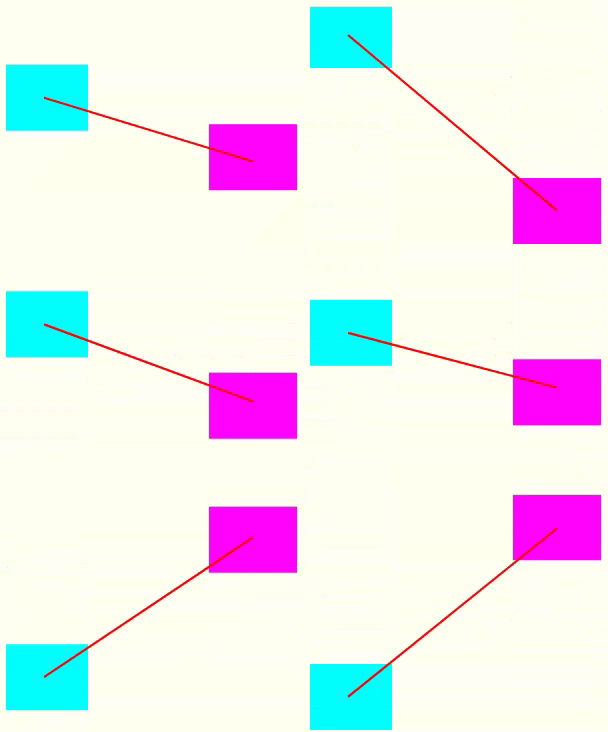
TLDR: Here is the demo code at CodePen, which produces this:
The Konva docs page has a demo for Konva.Tween and the code looks similar to this:
// instantiate new tween which moves vertically from initial
// position to target y in 1 second
var tween = new Konva.Tween({
  // list of tween specific properties
  node: node,
  duration: 1,
  easing: Konva.Easings.EaseInOut,
  onUpdate: () => console.log('node attrs updated')
  onFinish: () => console.log('finished'),
  // set new values for any attributes of a passed node
  y: 200
});

// play tween
tween.play();

// pause tween
tween.pause();
The onUpdate is a function that we can use to do whatever we want to the shapes. In this case the requirement was to connect a line between two moving rects. The important code is
const t1 = new Konva.Tween({
  node: rect1,
  y: endY,
  duration: 1,
  easing: Konva.Easings.EaseInOut,
   onUpdate: function () {
     moveLine()
   },
  onFinish : function() {
    t1.destroy()
    },
  yoyo: true
})

const t2 = new Konva.Tween({
  node: rect2,
  duration: 1,
  easing: Konva.Easings.EaseInOut,
  onFinish : function() {
    t2.destroy()
    },
  y: startY,
  yoyo: true
})

function moveLine(){
  line.points([
    rect1.position().x + rect1.width() / 2,
    rect1.position().y + rect1.height() / 2,
    rect2.position().x + rect2.width() / 2,
    rect2.position().y  + rect2.height() / 2
  ])
}

t1.play()

t2.play()
When tween #1 updates the position of rect1, the moveLine() function which moves the end points of the line to the new position of the two rects is called.
Note - this code is cut down to be easy to read. Please remember to destroy the tweens when they end to avoid memory leaks.
Summary
We've seen how simple it is to modify other shapes within the Tween's onUpdate() function. One cautionary note - do as little as possible inside the onUpdate() function to avoid reducing animation performance.
And, if you find yourself needing to know the frame time or carry out more complex per-frame work, think about using a Konva.Animation over a Konva.Tween.
Thanks for reading.
VW Feb 2024
Photo by aldi sigun on Unsplash